Lenovo T430 (Maximized)
⚠️ Safety First
Before starting, please read our SPI Programmer Best Practices guide for essential safety information and programmer recommendations.
T430 Hardware Maintenance Manual
Similarly to the x230, the thinkpad T430 has two SPI flash chips that hold the BIOS, ME, etc. They are located under the palm rest. To access these chips, complete disassembly is required. It is a straightforward process and takes approximately 30 minutes. For this you will need: some screwdrivers, thermal paste (since the CPU cooler needs to be removed too), a recommended SPI programmer (see our Best Practices guide), and another laptop/PC with Ubuntu installed. Other linux based OS should be fine too.
Critical: Remove all batteries (including CMOS) AND disconnect the AC adapter before starting.
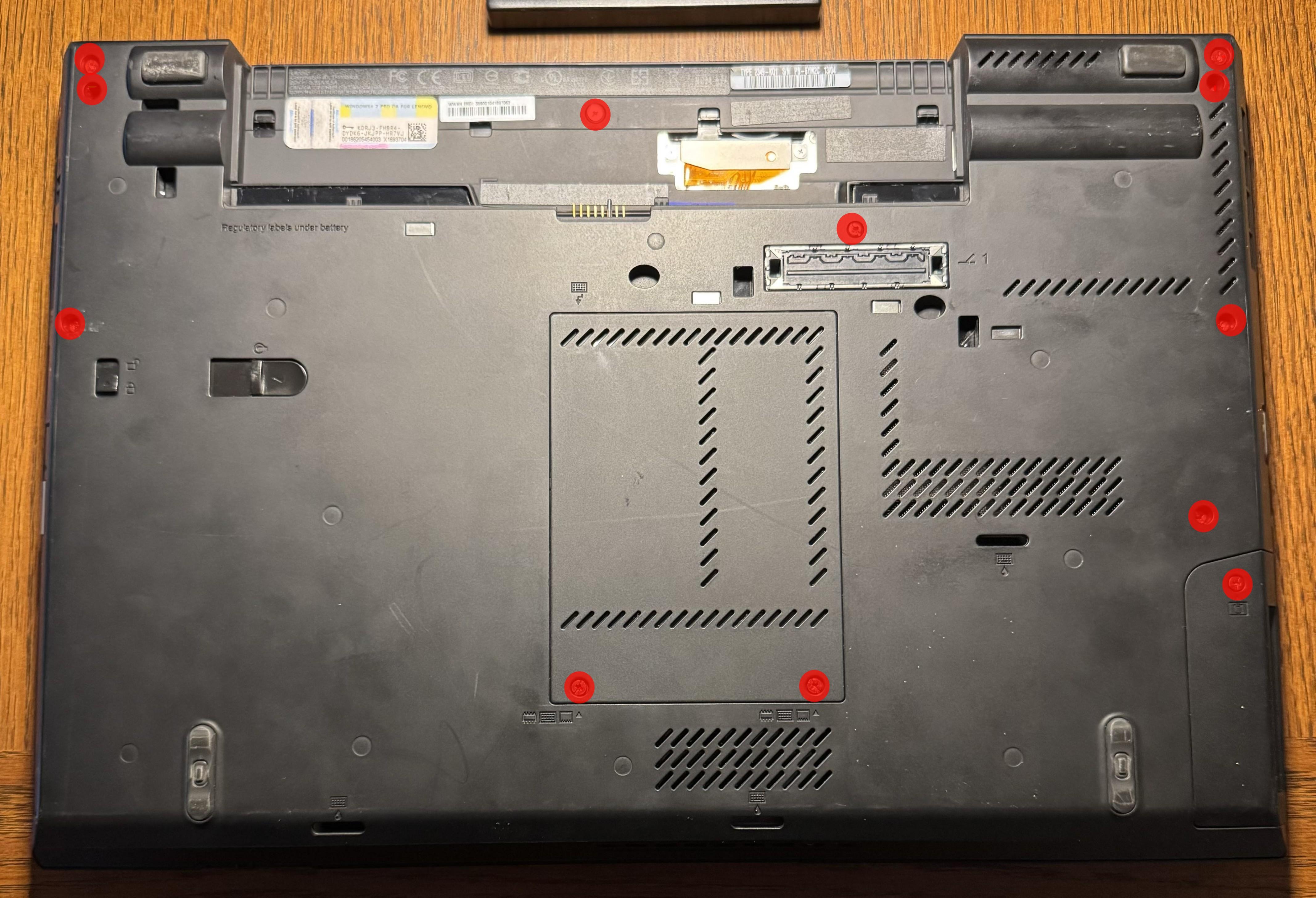
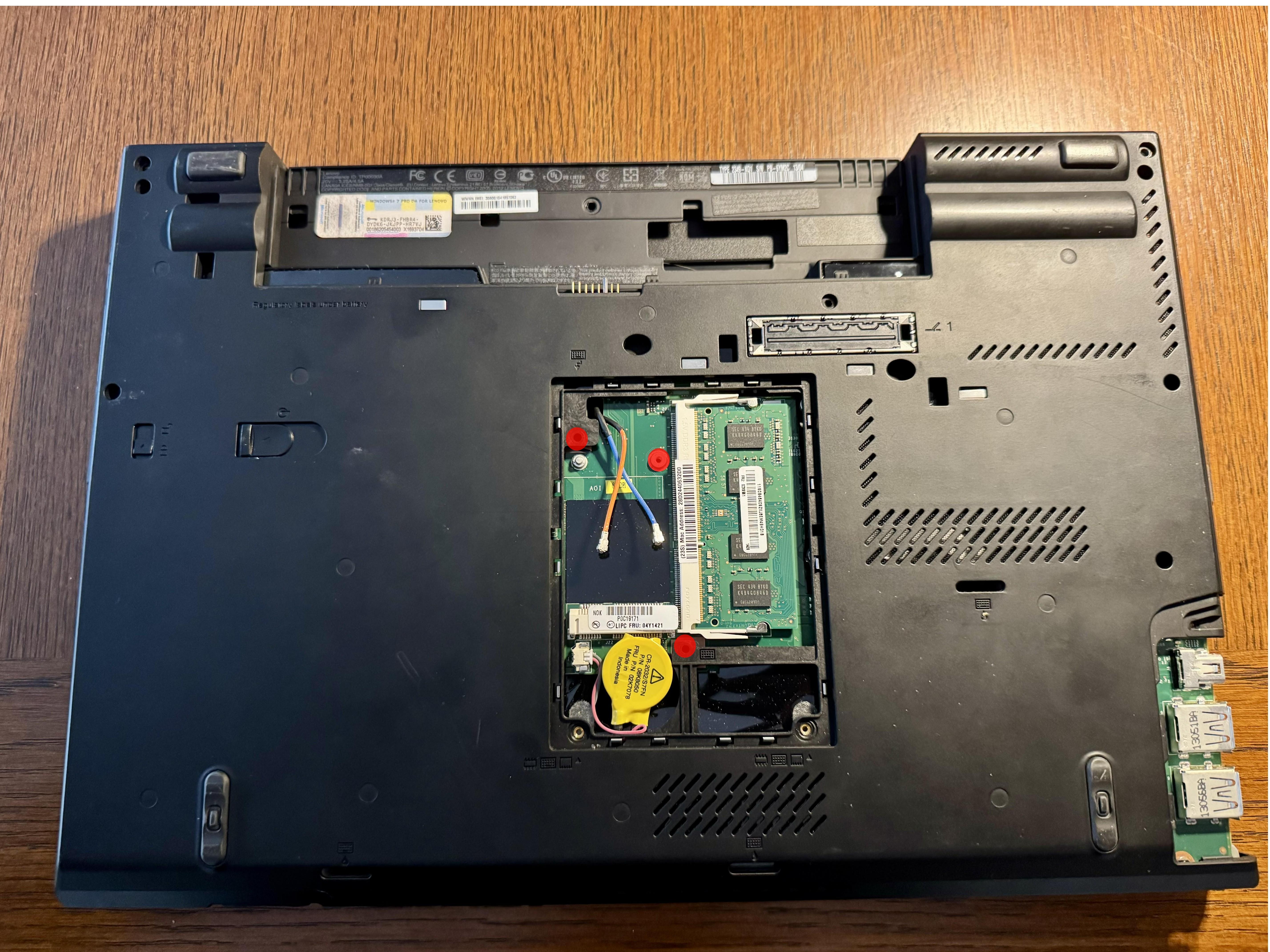
Removing these screws will allow you to remove the keyboard and palm rest.
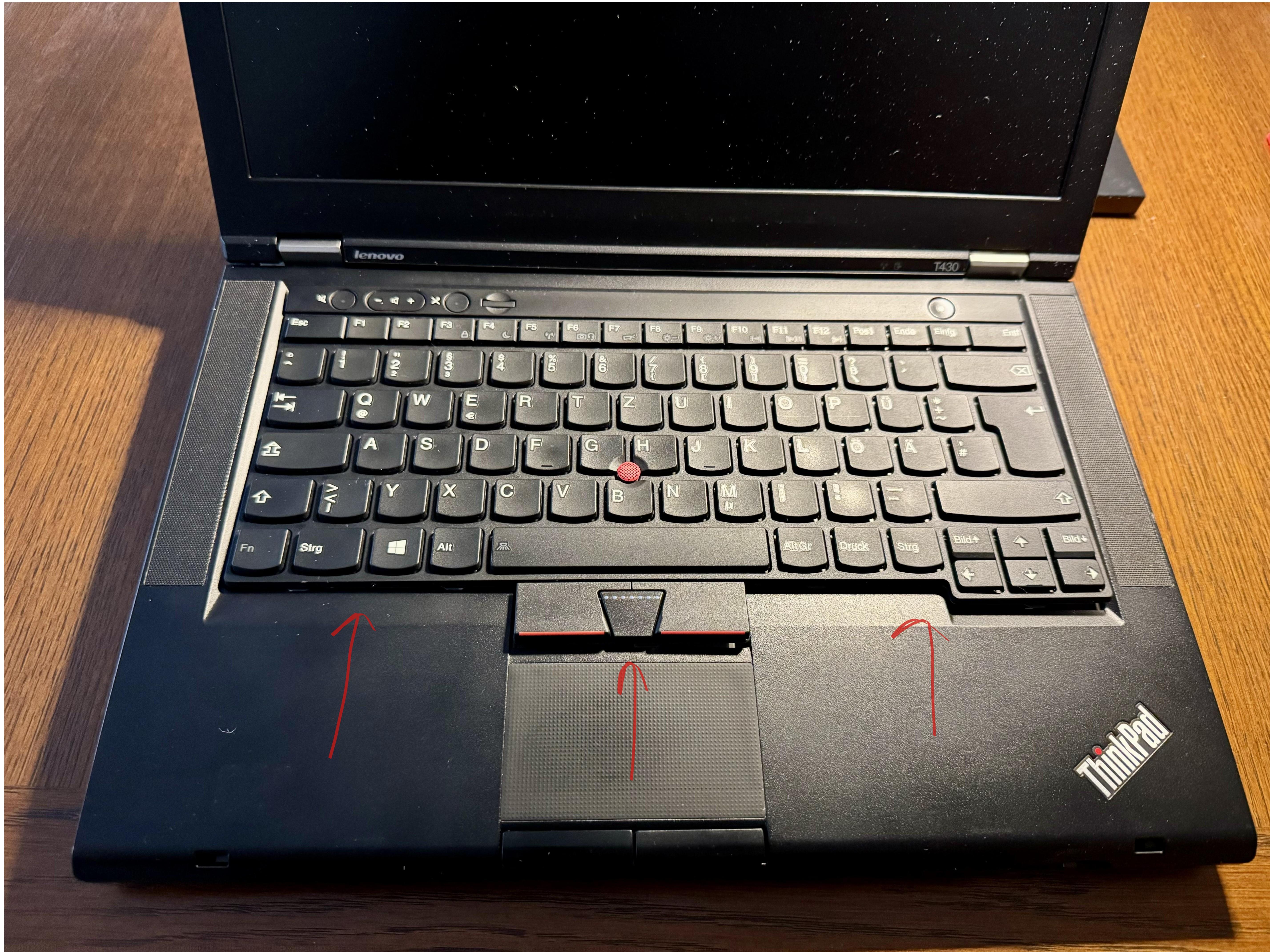
First, slightly shift the keyboard towards the screen.
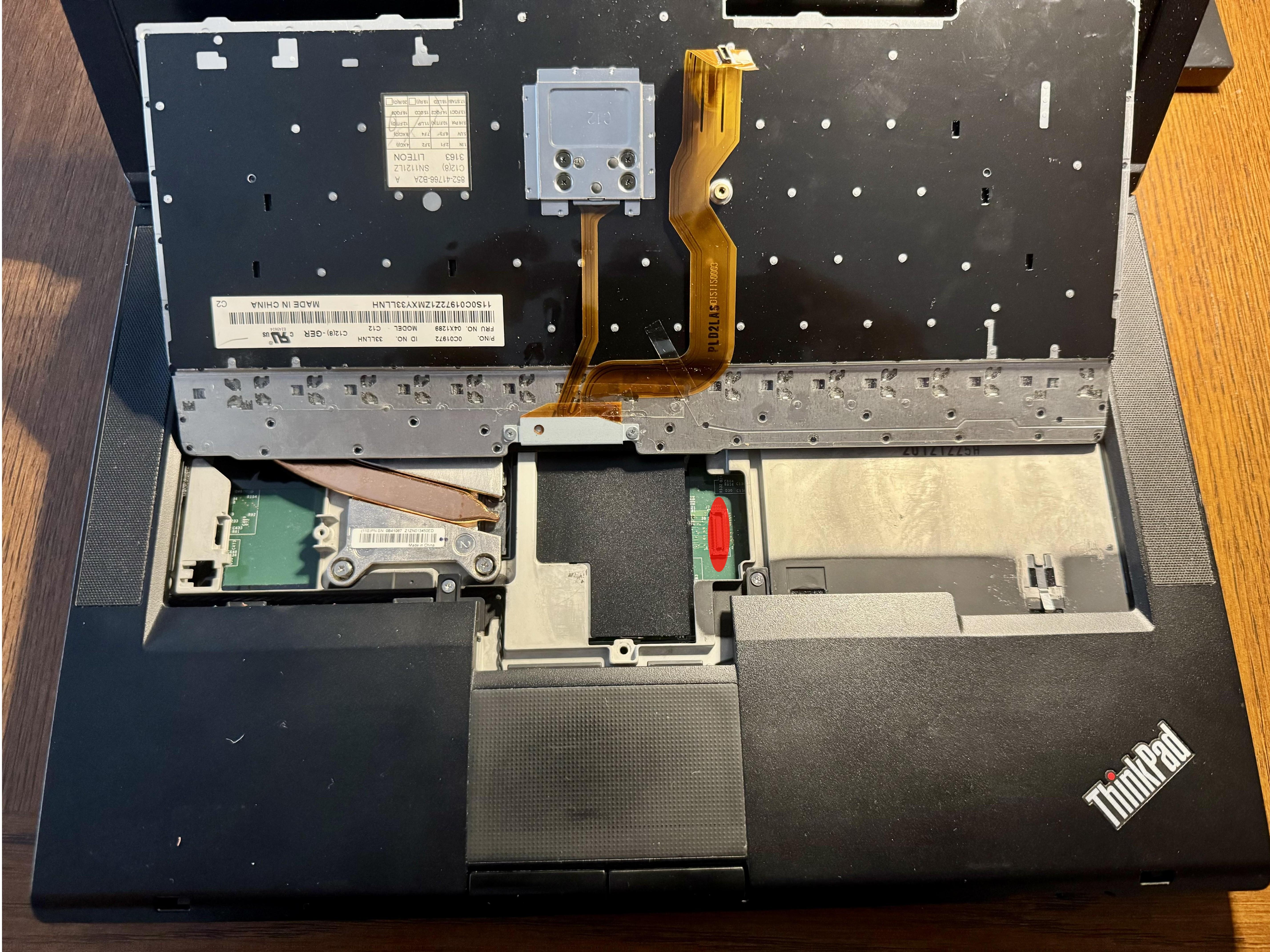
 The keyboard is connected to the motherboard by a ribbon cable which easily detaches from the motherboard.
Remove these screws in order to remove the palm-rest.
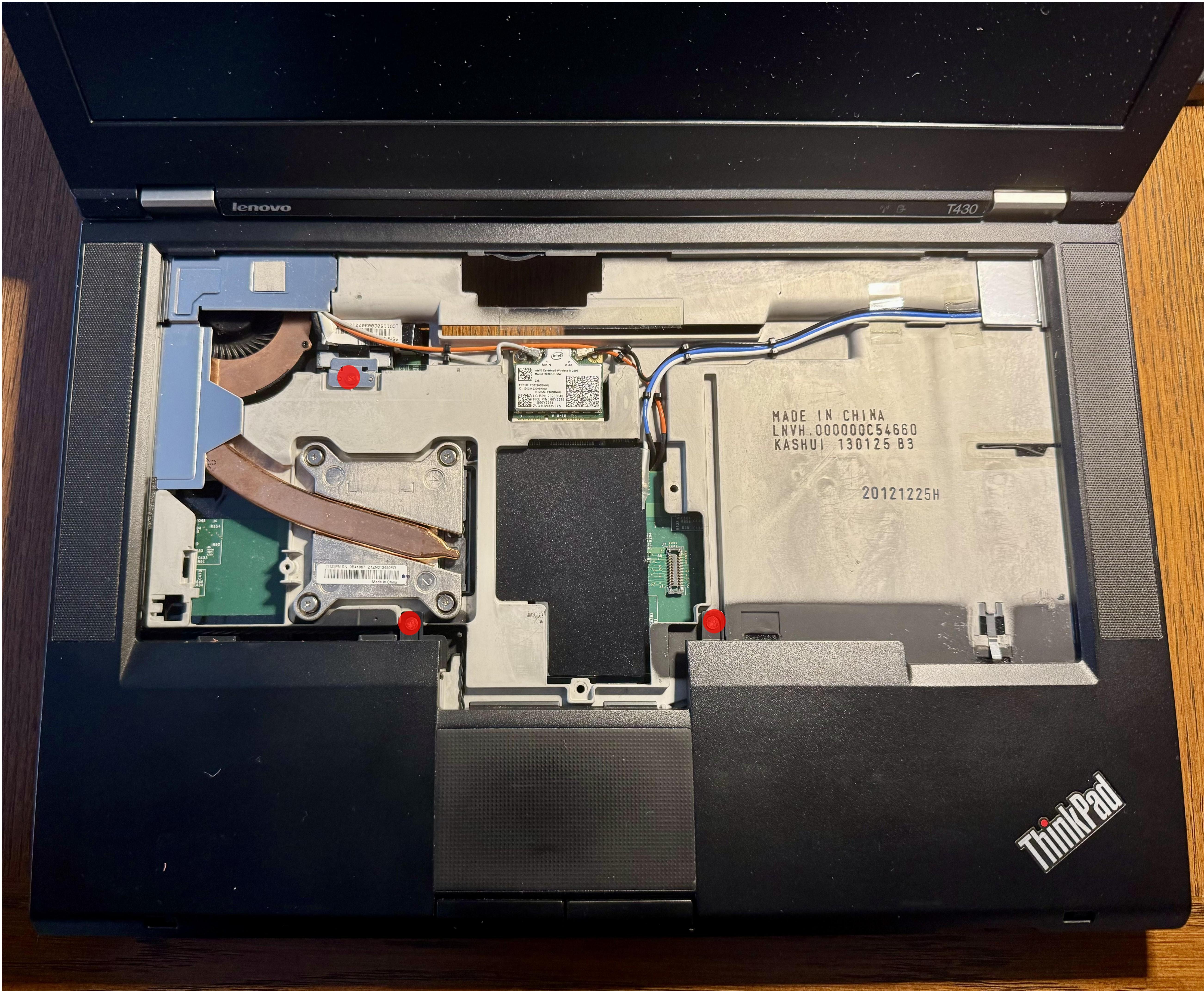
The palm-rest is removed. Removing these screws will allow you to further detach the screen and the CPU cooler.
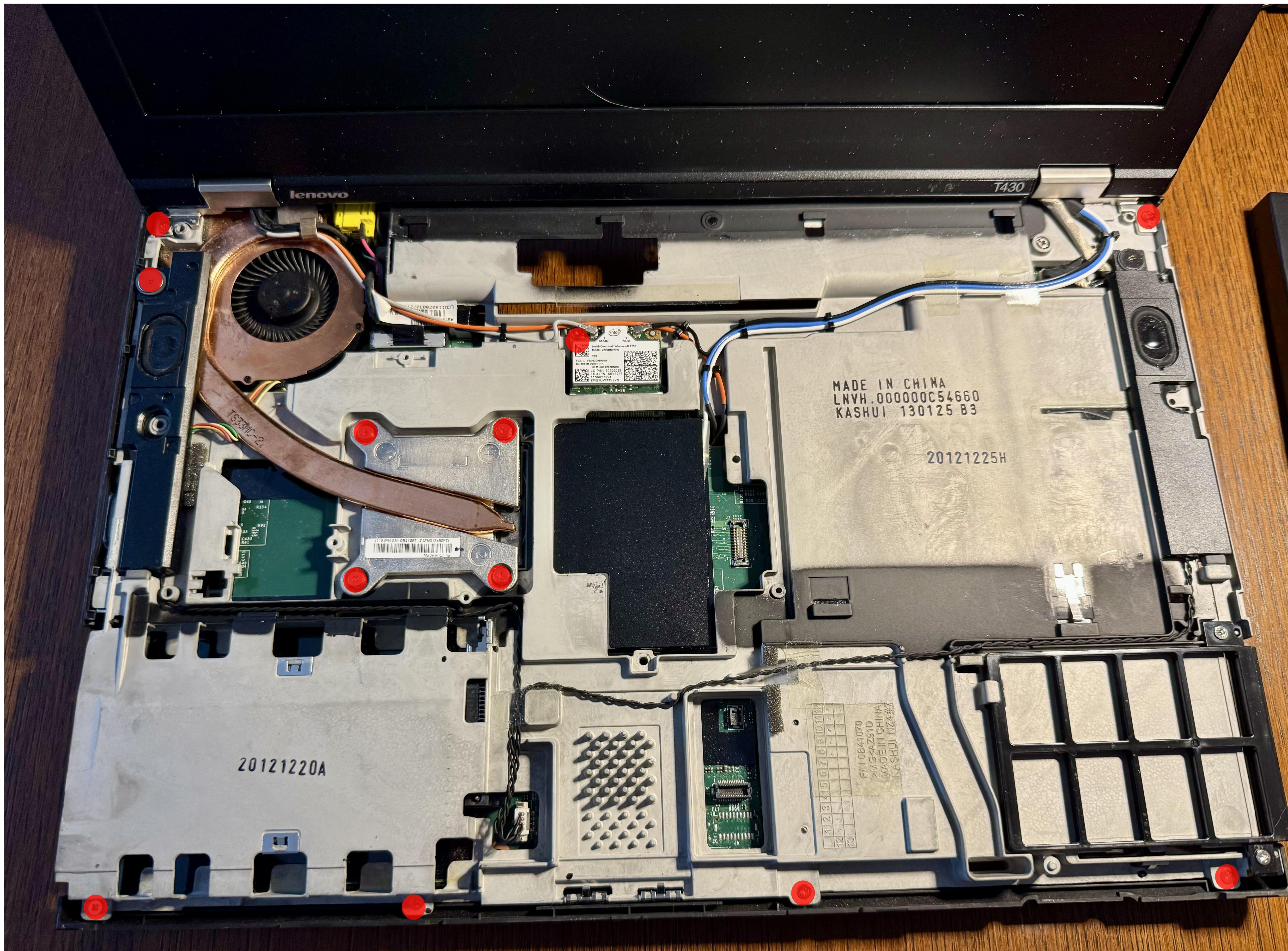
The screen and CPU with left speaker are removed.
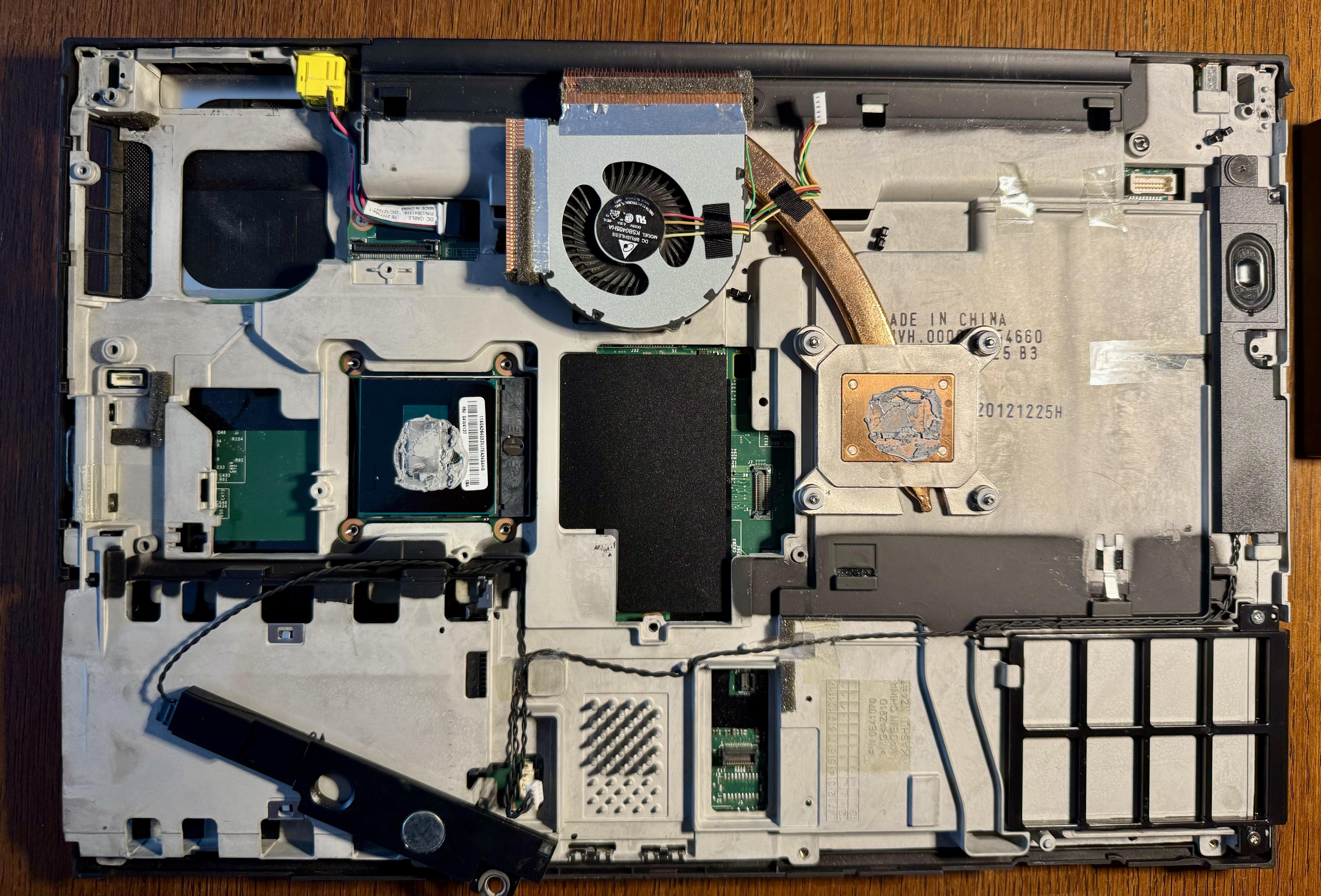
Flip the board and remove these screws too. This should allow you to get rid of the aluminium part to access the SPI flash chips.
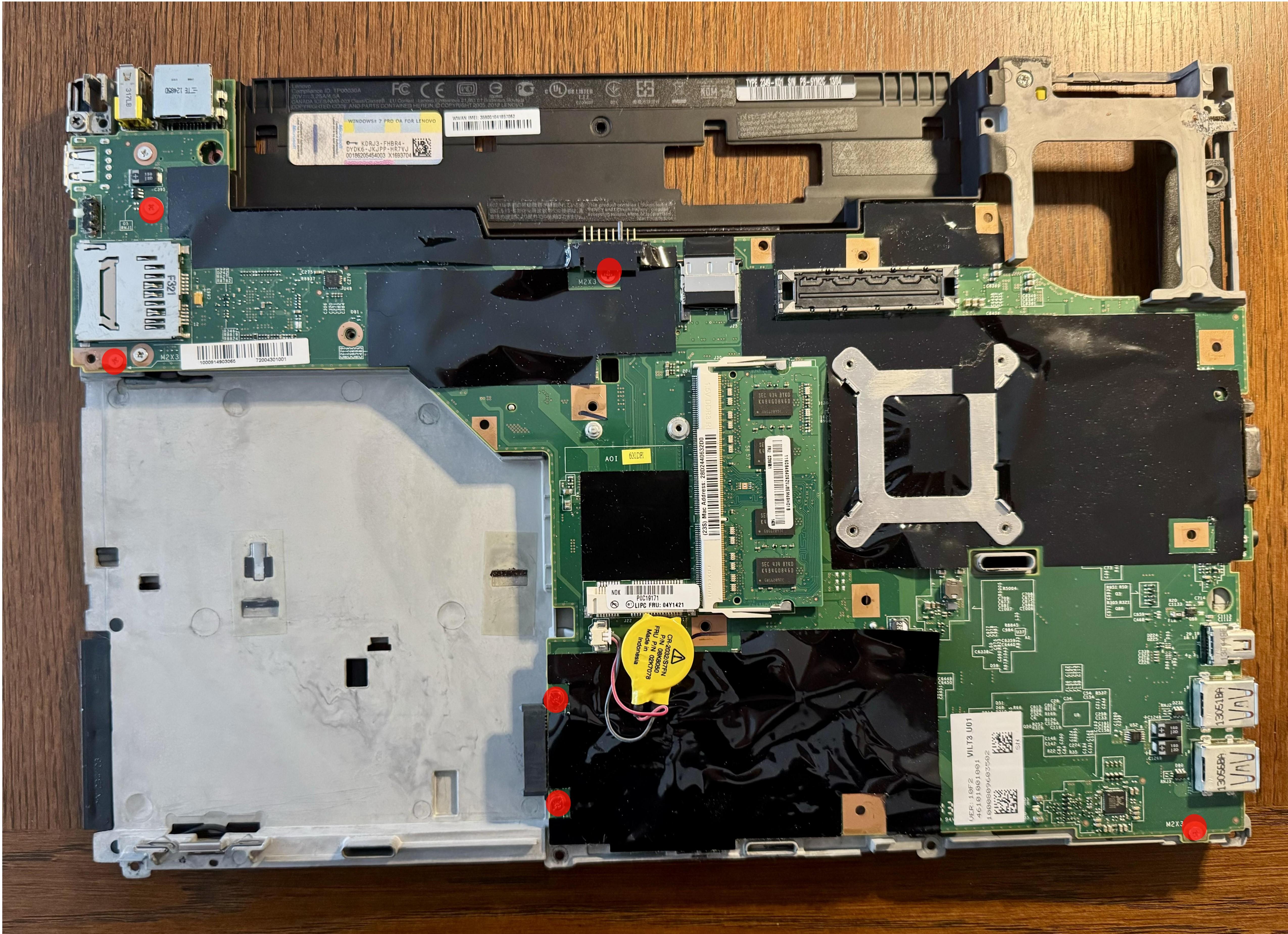
Flip the board again. The SPI flash chips are located under this plastic.
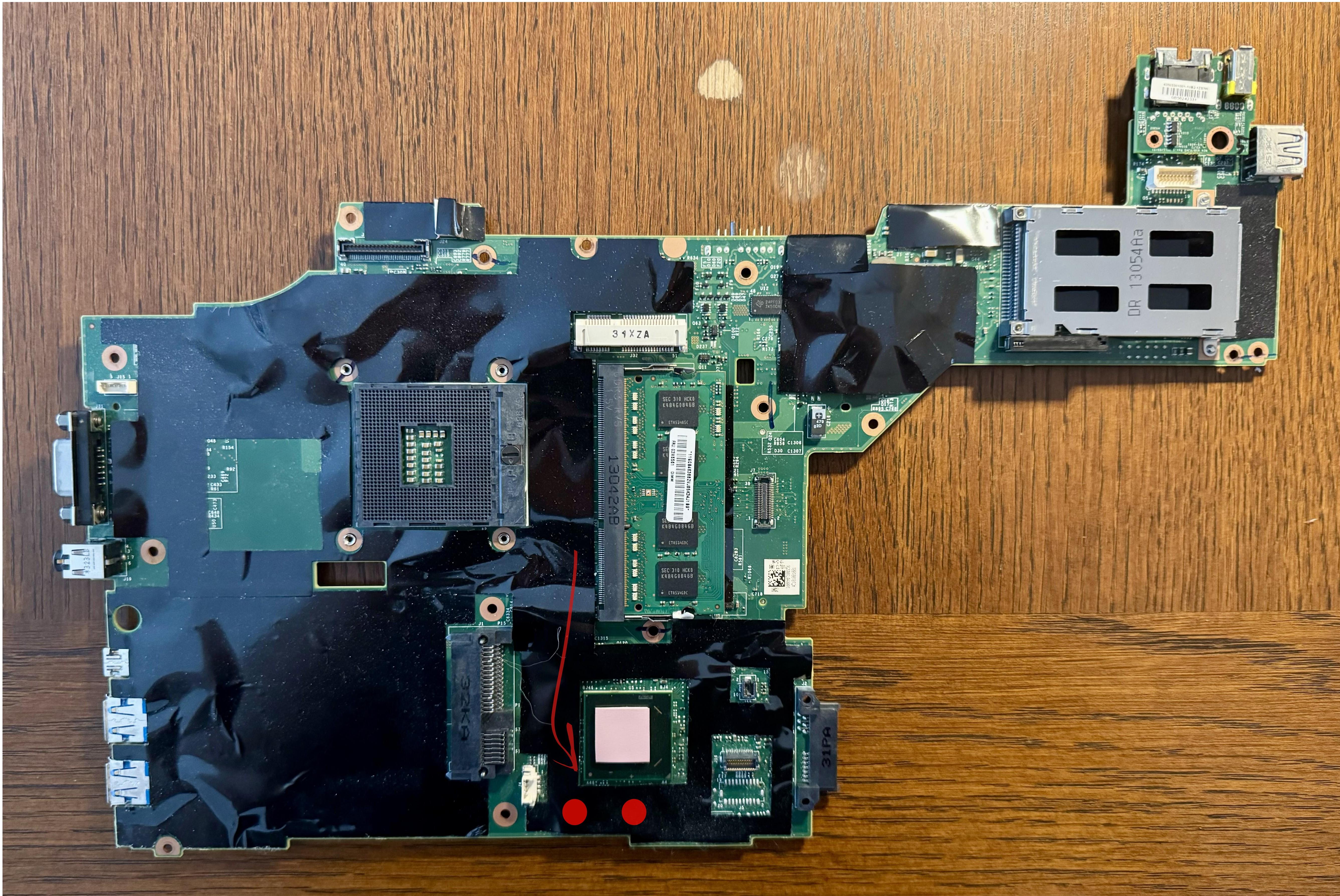
Left chip corresponds to the “bottom” flash chip (8192 kb) and right corresponds to the “top” (4096 kb) chip, respectively. The top chip is 4MB and contains the BIOS and reset vector. The bottom chip is 8MB and has the Intel Management Engine (ME) firmware, plus the flash descriptor. To be on the safe side, you may want to disconnect CMOS battery before next steps.
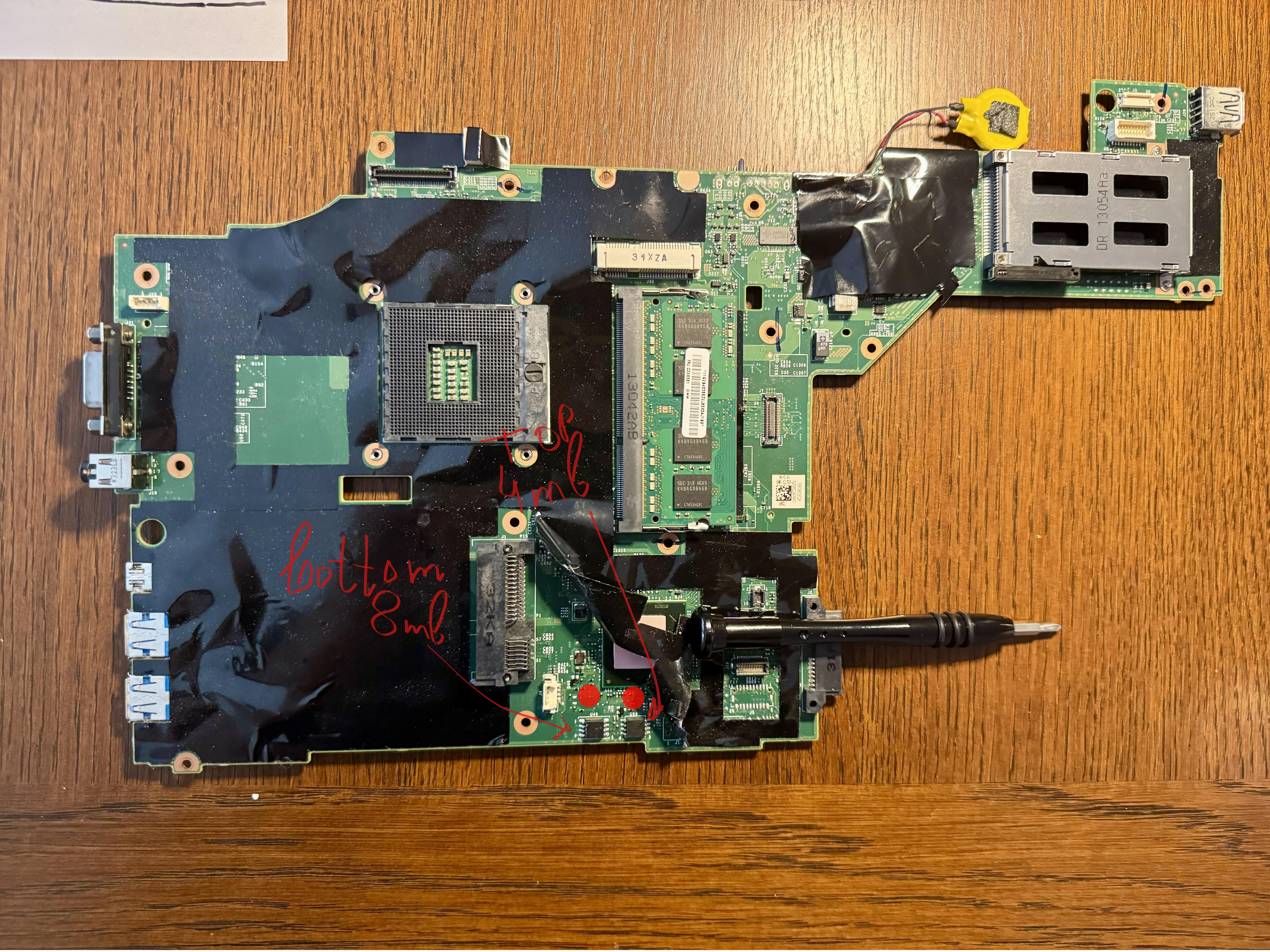
First download or build (please see general building / building x230) the maximized board roms (top and bottom) for this board and verify their hashes.
Note: If you need to reflash or customize the EC firmware while still on proprietary platform firmware, refer to the EC firmware & customizations section in the Prerequisites for guidance on performing EC updates and customizations from vendor firmware prior to the initial Heads flash.
Try to read the name on the top SPI flash chip. I was unable to do that. The dots on the chip help to identify the correct clip orientation.
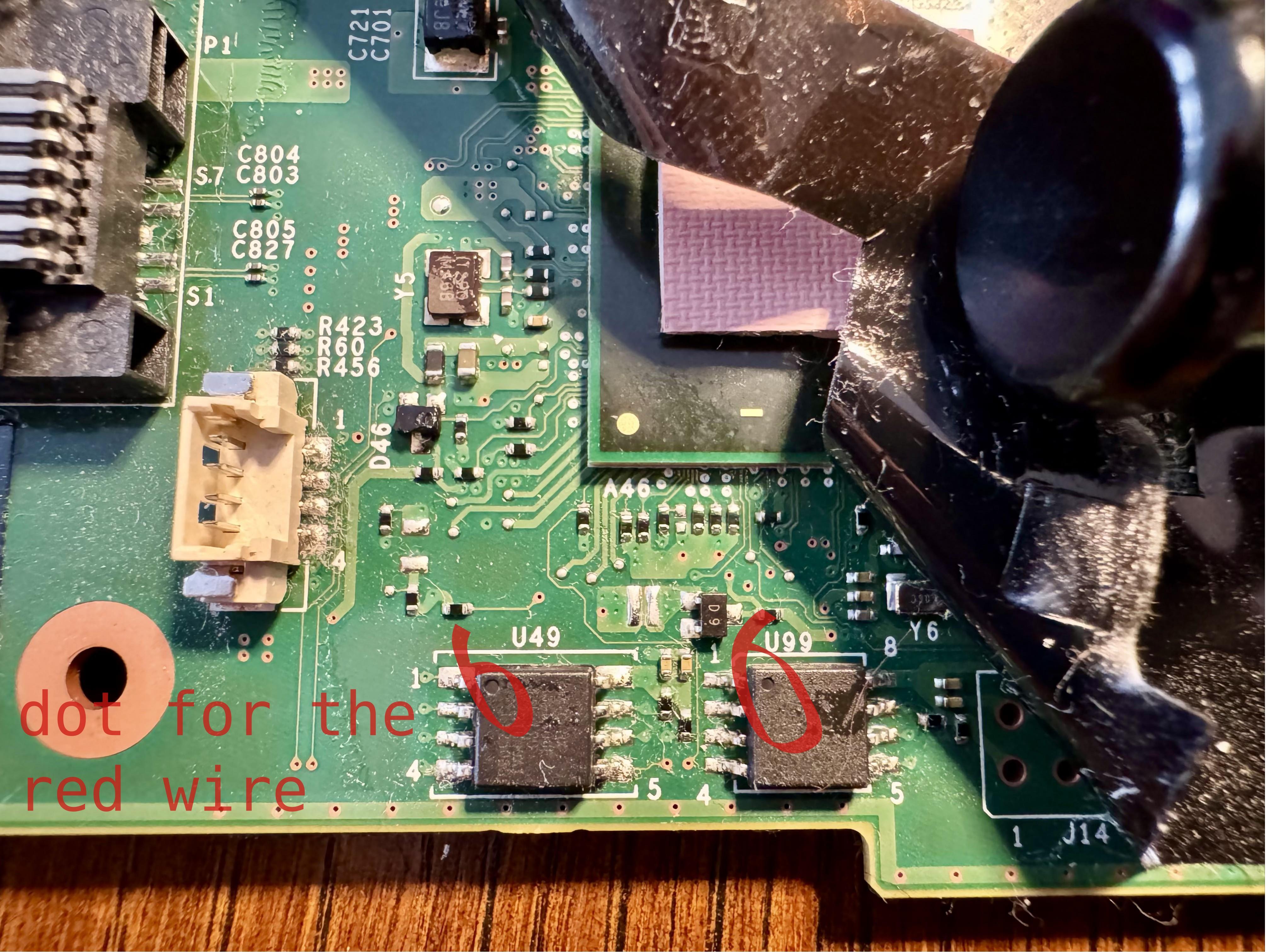
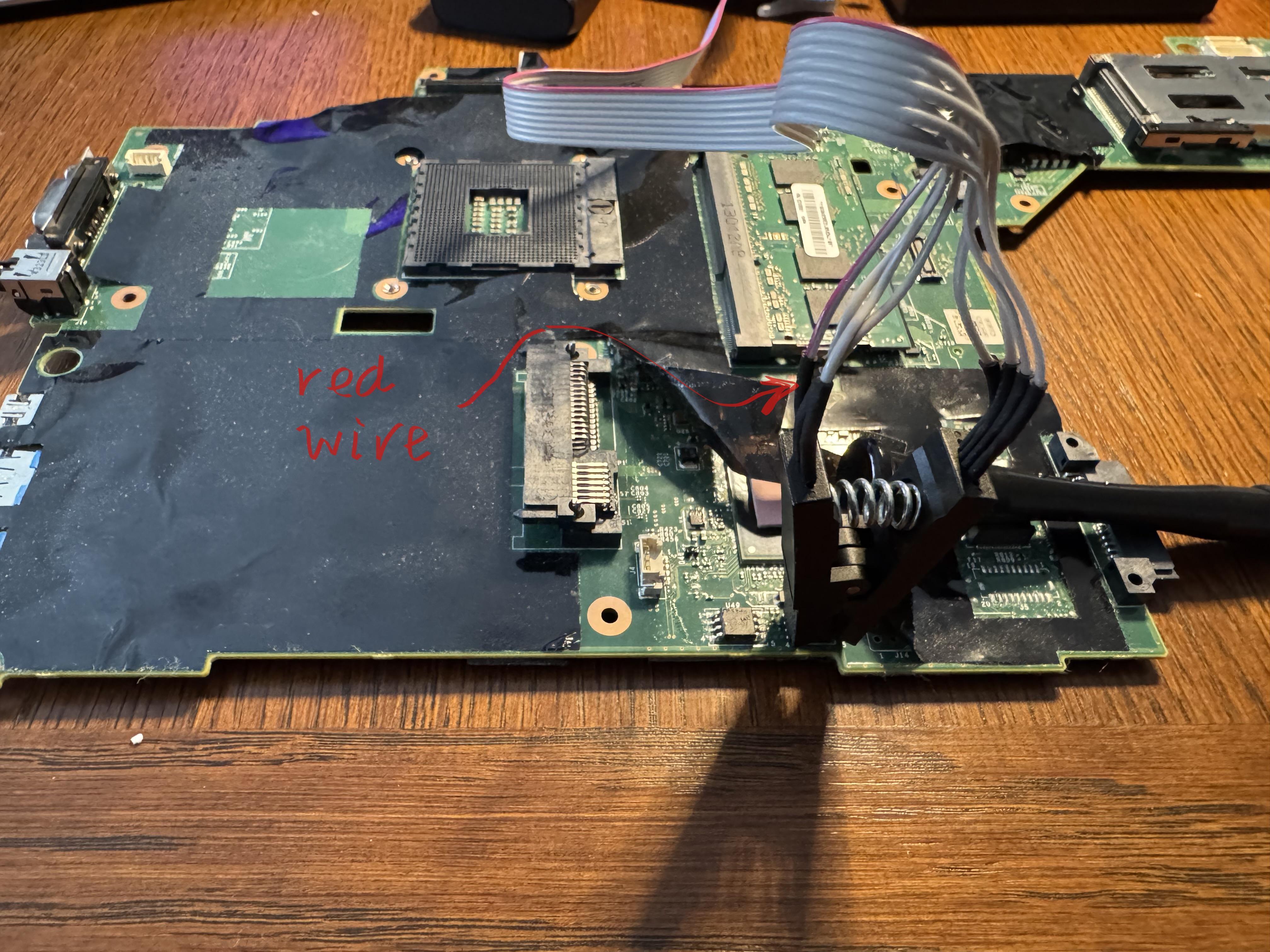
Then, connect the clip and SPI programmer to the “top” (4096 kb) SPI flash chip. In my set up, the red wire should be where the dot is.
Note: See the SPI Programmer Best Practices for programmer recommendations (Tigard recommended; CH347F preferred budget option; CH341A rev1.6+ acceptable with a physical selector). The commands below use [programmer] as a placeholder; see the SPI Programmer Best Practices guide for example commands for specific programmers.
Use flashrom to check the chip that you are connected to:
sudo flashrom --programmer [programmer]
Here is my output.
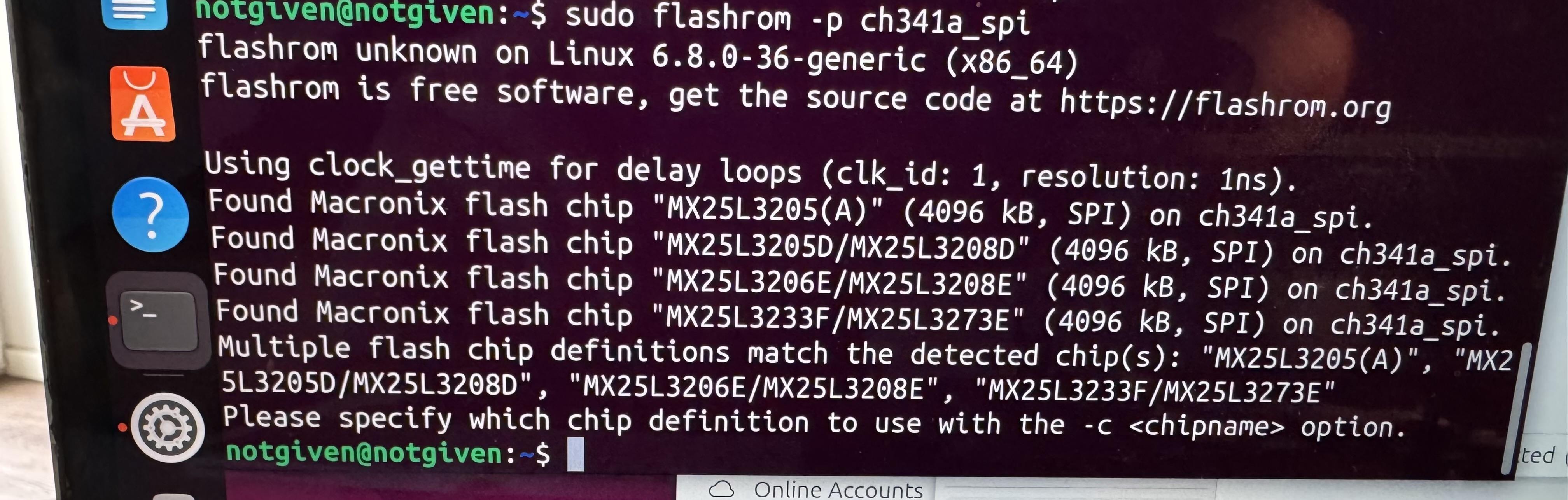
Find the chip and create a backup and verify it (For me the SPI flash chip is YYY):
sudo flashrom --programmer [programmer] --read ~/top.bin --chip YYY
# Quick sanity check: inspect the start of the dump for obvious garbage
hexdump -C ~/top.bin | head -20
sudo flashrom --programmer [programmer] --verify ~/top.bin --chip YYY
If the files differ then try reconnecting your programmer to the SPI flash chip and make sure your flashrom software is up to date.
If they are the same then write t430-maximized-top.rom to the SPI flash chip:
sudo flashrom --programmer [programmer] --chip YYY --write ~/heads/build/x86/t430-maximized/t430-maximized-top.rom
While everything goes well you should see the blue LED on the programmer.
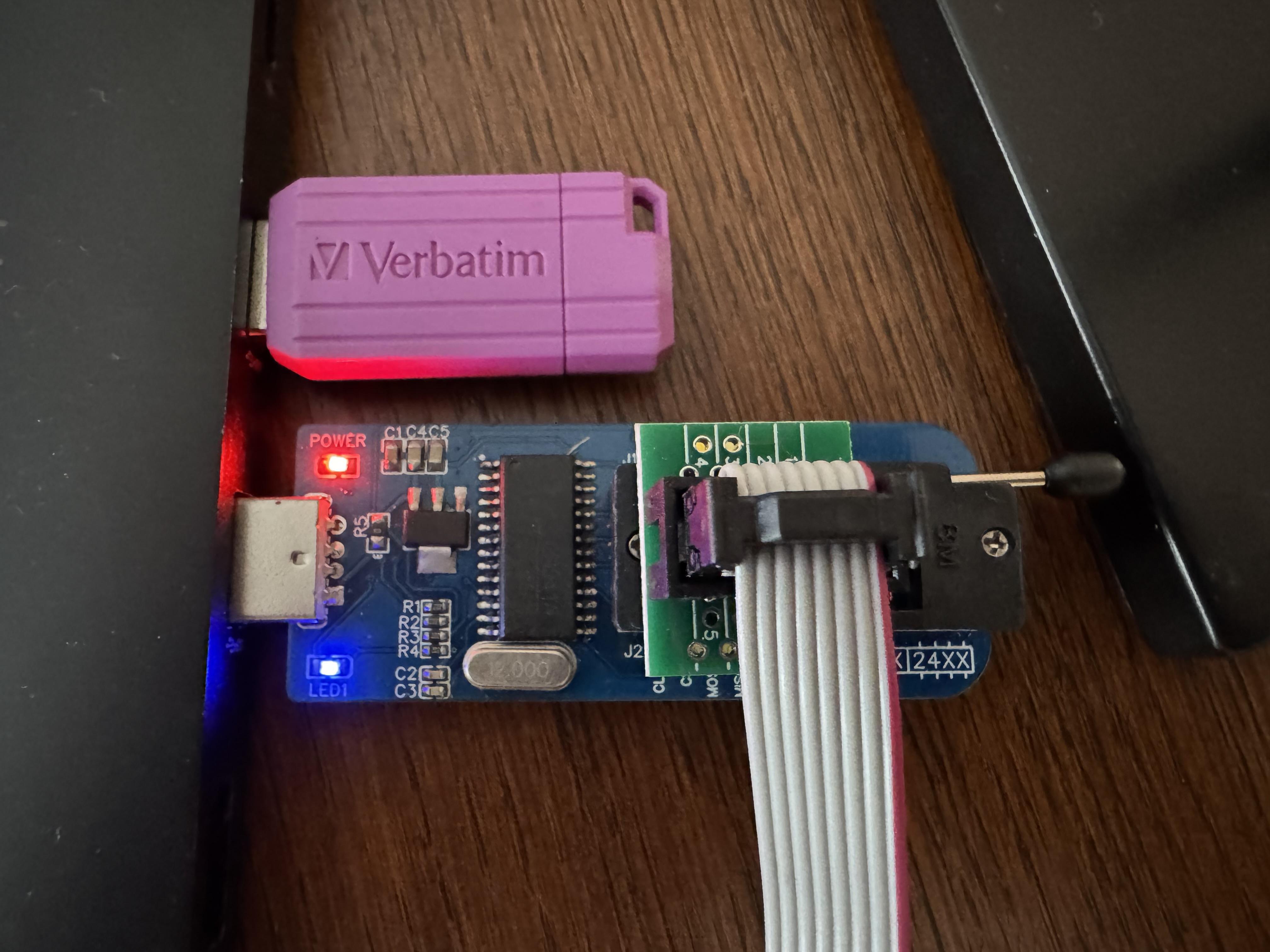
Here is a successful attempt.
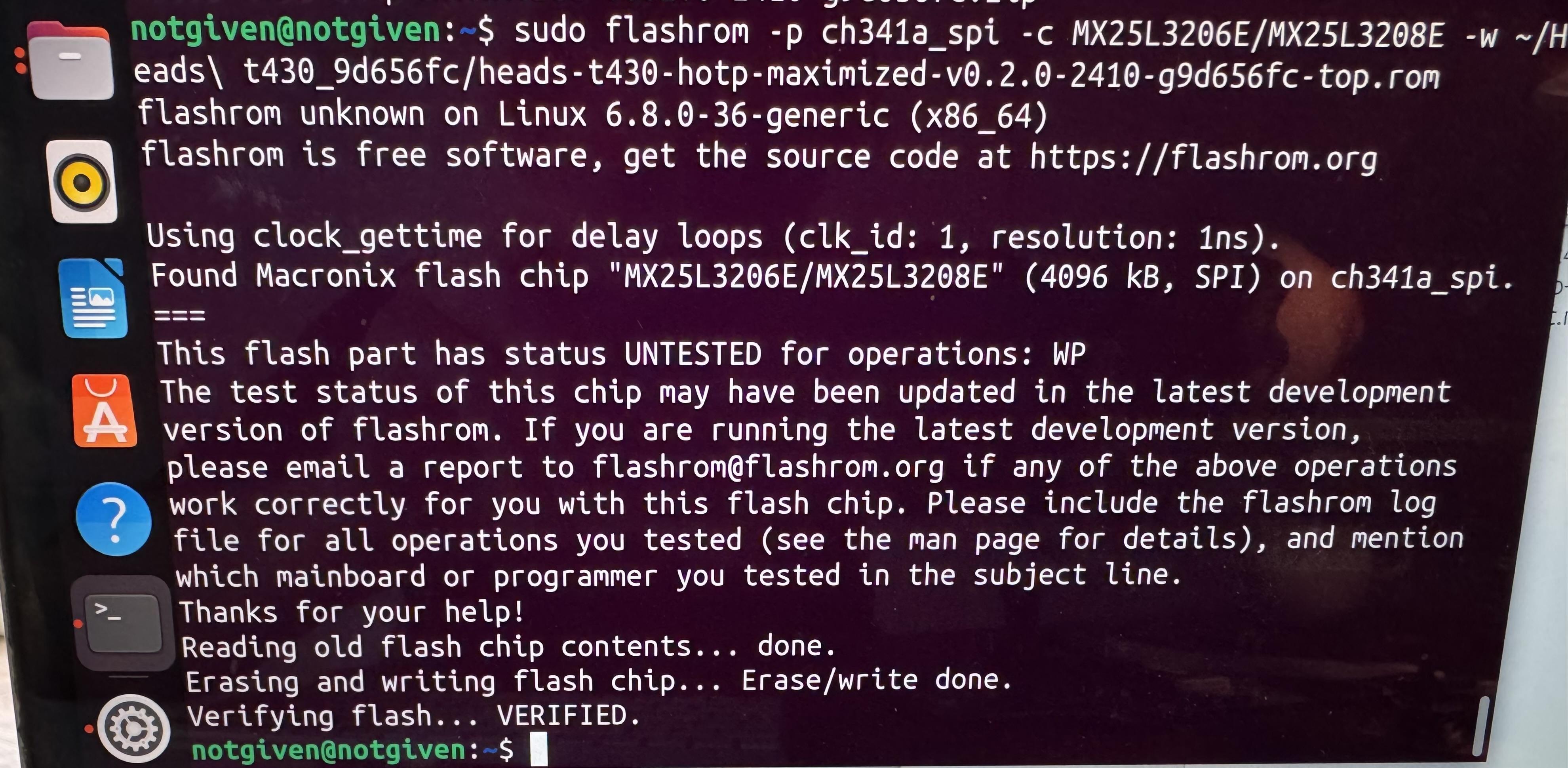
Try to read the name on the bottom SPI flash chip. Then, connect the clip and SPI programmer to the bottom SPI flash chip.
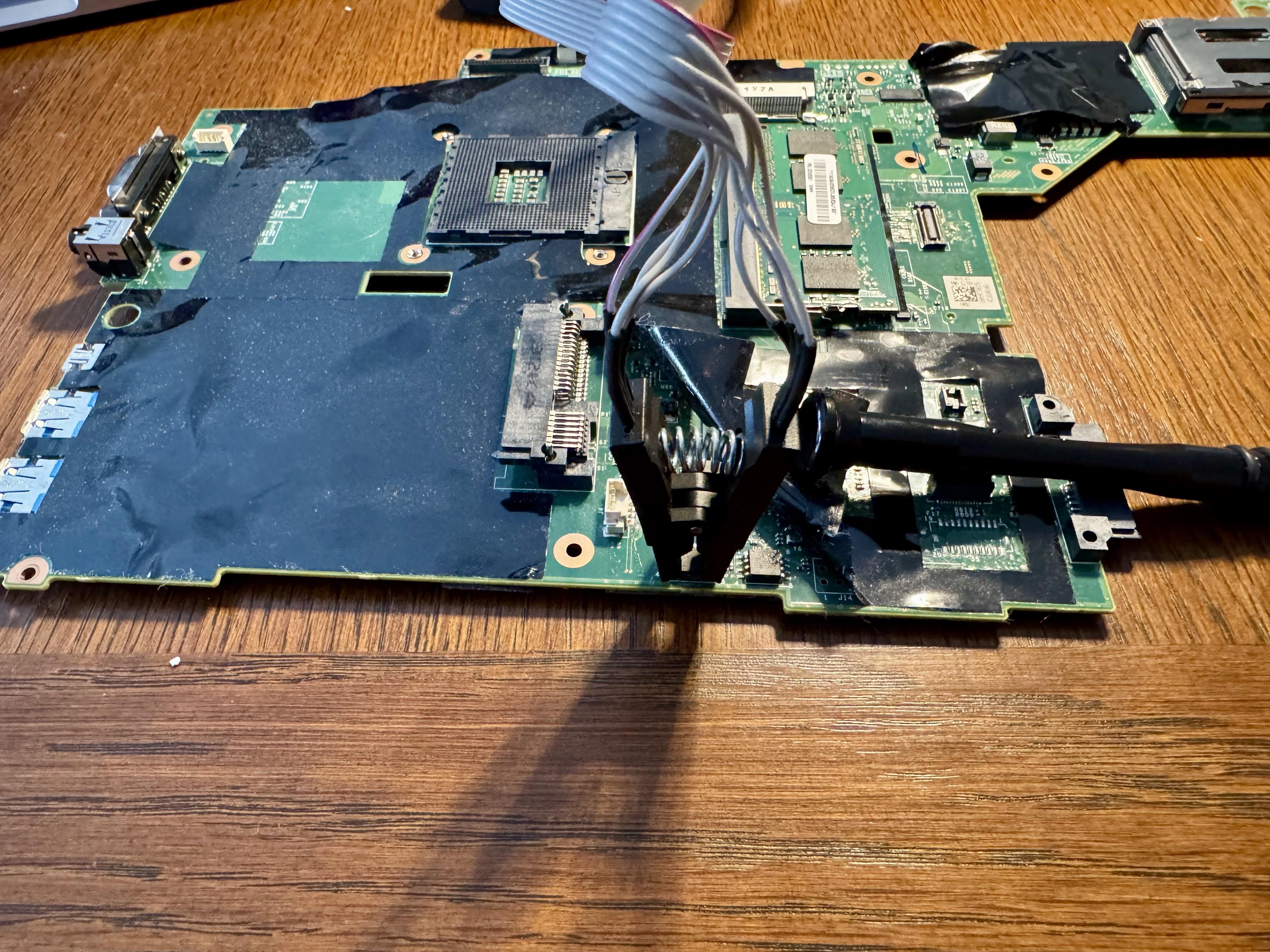
Use flashrom to check the chip that you are connected to:
sudo flashrom --programmer [programmer]
Here is my output.
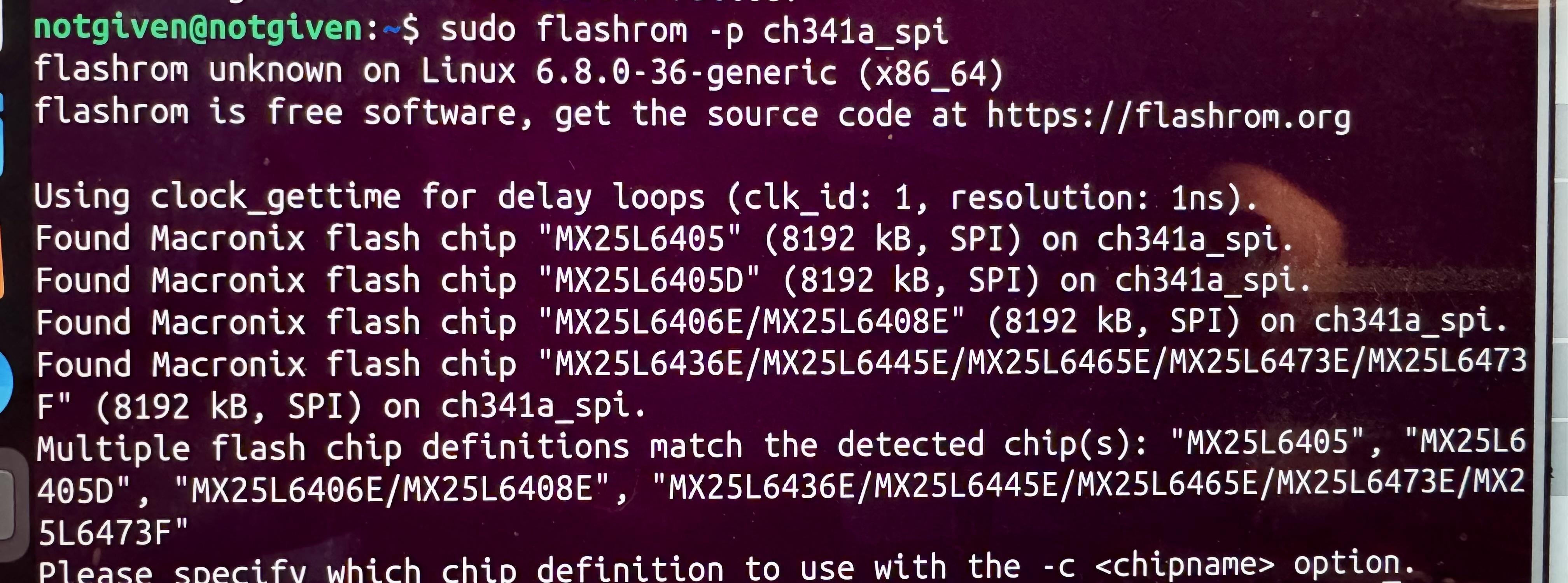
Find the chip and create a backup and verify it (For me the SPI flash chip is ZZZ):
sudo flashrom --programmer [programmer] --read ~/bottom.bin --chip ZZZ
# Quick sanity check: inspect the start of the dump for obvious garbage
hexdump -C ~/bottom.bin | head -20
sudo flashrom --programmer [programmer] --verify ~/bottom.bin --chip ZZZ
The 8M bottom chip contains the ME firmware. It is neutralized in maximized version. You can flash it specifying the same chip you found under ZZZ:
sudo flashrom --programmer [programmer] --chip ZZZ --write ~/heads/build/x86/t430-maximized/t430-maximized-bottom.rom
Note about GBE: The T430 contains a GBE region (board MACs) inside the Intel Firmware Descriptor (IFD). Always back up the full chip before the initial flash and inspect the dump (for example, hexdump -C ~/bottom-backup.bin | head -20).
If you need to preserve a board’s MAC/GBE, the reliable approach is to create a custom GBE during the Heads build (see the boards/<boardname> configuration in linuxboot/heads). For details on preserving board-specific regions, consult the SPI Programmer Best Practices guide and the board’s build documentation, and refer to issue #120 for community discussion. If all goes well, you should see the keyboard LED flash, and within a second Heads will boot in its GUI.
Two reboots are sometimes needed after flash. Force power off by holding the power button for 10 seconds. Since the memory training data was wiped by the content of the full flashed ROM, this is normal.
You should then follow through with configuring keys.